Describe the product and goal
Start with the product, audience, offer, platform, and action you want the viewer to take. A focused brief gives Makeugc useful creative direction instead of a vague topic.
Plain-English guide
What is makeugc ai ugc? It is a way to use Makeugc to plan creator-style product videos from a short brief, product details, or visual direction without filming every scene yourself.

These are the core facts behind the definition, workflow, and practical limits explained below.
Makeugc packages the planning decisions behind a UGC video into a simple creative workflow.
Start with the product, audience, offer, platform, and action you want the viewer to take. A focused brief gives Makeugc useful creative direction instead of a vague topic.
Choose the tone, setting, creator behavior, product interaction, and spoken message. Makeugc uses those inputs to form a coherent UGC-style concept.
Check whether the product is clear, the movement feels natural, and the script matches the brand. Refine the brief when the first version needs a different angle.
See how Makeugc fits into a browser-based workflow for planning and producing creator-style videos.
Explore how gestures and product interactions help a UGC concept feel more demonstrative and believable.
Review practical UGC video examples to compare hooks, product moments, and audience contexts.
Makeugc is a good fit when the creative problem is repeatability and iteration, not simply recording one personal recommendation.
1
Choose Makeugc to test different hooks, creators, settings, and product moments.
A structured workflow makes variations easier to compare before you commit to a full production process.
2
Use a real customer or creator alongside Makeugc rather than treating generated UGC as proof of lived experience.
Makeugc can shape the format, but it cannot honestly invent a customer relationship or personal result.
3
Use Makeugc for first concepts and direction, then apply human review, editing, and brand checks before publishing.
The tool accelerates creative development; the final standard still depends on the message, product, and audience.
Makeugc is useful anywhere a team needs frequent, clear, product-focused social creative.
Owners can turn a product benefit into a concise UGC idea without coordinating a complete shoot for every test.
Social teams can explore multiple hooks and audience angles while keeping the product message consistent across concepts.
Agencies can use Makeugc to develop early directions, organize client feedback, and prepare more options before production.
Creators can use Makeugc as a planning aid for product demonstrations, opening hooks, and natural interaction beats.
The value is not only the final clip. Makeugc also makes the creative choices visible before a team spends time filming and editing.
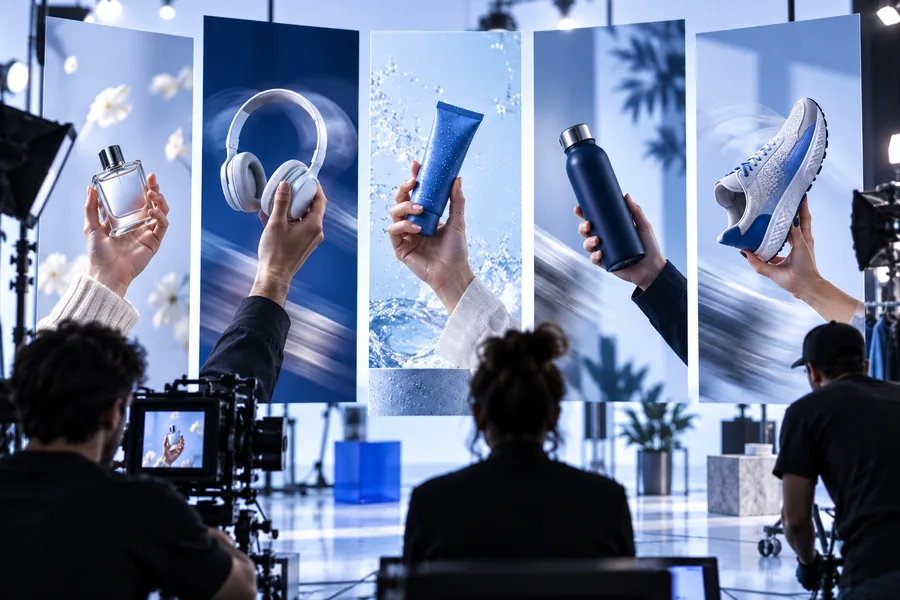 Creative direction
01
A useful UGC concept connects the product to a recognizable situation. Makeugc helps frame who is using the item, what they are doing, and why the moment matters to the viewer.
 Iteration
02
Once the main message is clear, Makeugc can help teams compare different tones and contexts. That makes it easier to spot which concept deserves editing, filming, or further testing.
The path to AI-assisted UGC reflects a broader shift from one polished campaign asset to many short, testable creative variations.
Short vertical video made product recommendations feel more conversational, personal, and native to social feeds.
Brands and agencies adopted lighter production workflows, making creator briefs, phone footage, and rapid editing more central to marketing.
AI-assisted systems began helping teams draft scripts, visualize scenes, and explore creative directions before a camera or editor was involved.
Tools such as Makeugc support a cycle of brief, concept, review, and refinement so teams can develop more useful options with less coordination.
Makeugc is best understood as a creative production aid: it helps turn a product message into a reviewable UGC direction. Start with one audience, one benefit, and one action, then refine from there.
Makeugc AI UGC refers to using Makeugc to develop creator-style product video concepts with AI assistance. It helps organize the product, creator, setting, action, and message into a format suitable for review and refinement.
No. Makeugc can help create a UGC-style concept or output, but it does not create a real customer relationship or personal product experience. Use human creators when authenticity, lived experience, or a verified testimonial is essential.
Makeugc can help develop product-focused creator scenes, hooks, demonstrations, and social video directions. The result depends on the brief and should be checked for product accuracy, natural movement, brand fit, and truthful claims.
Makeugc is designed for small businesses, marketers, agencies, and creators who need more product video ideas or faster creative iteration. It is especially useful when a team wants to compare several concepts before investing in full production.
Yes. Human review remains important for accuracy, tone, product visibility, and compliance with advertising expectations. Makeugc can accelerate the creative process, but the publishing decision belongs to the brand or team.